


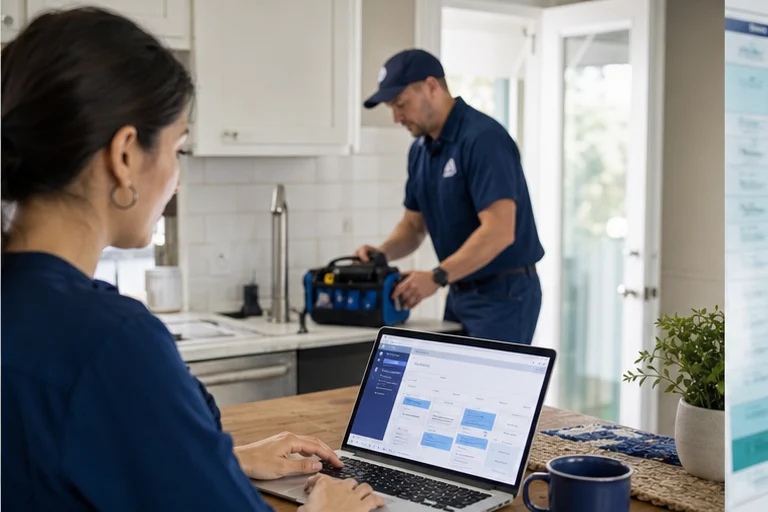
A static form asks the customer to submit information and wait. A guided booking workflow uses each answer to decide what to ask next, whether the service is available, and which appointment or review path fits.
Why this matters now
Home-service visitors often arrive with urgency and limited patience. The experience should be short on the screen but connected to detailed service, territory, calendar, and dispatch rules behind it.
An online booking system should guide a customer to a valid commitment, not collect a request that still needs to be rebuilt by the office. The experience must combine plain questions, eligibility rules, real availability, and immediate confirmation.
Where the workflow usually fails
Long forms before value
Customers are less willing to provide many fields before they know whether the business can help.
No response after submission
A thank-you page without a real next step leaves high-intent visitors waiting.
All services treated the same
Different work needs different questions, duration, qualifications, and calendar access.
A better operating path
Start with service and location, gather only details that change the next decision, and show time options after eligibility is known. Confirm the result on screen and in the client's system with the same appointment details.
- Ask the first decisive questionBegin with service need, location, or another factor that changes the path.
- Branch carefullyShow only questions needed for that customer and service.
- Check availabilityOffer approved times or explain the review path.
- Complete the recordSend confirmation and write the intake to the operating system.
Test the journey on a phone with an uncertain service request, a postal code near the boundary, no suitable time, a returning customer, and a job that needs an estimate. Every dead end needs an honest next step.
What to measure
Measure completed valid bookings, abandonment by question, and the corrections staff make later. Form submissions are not bookings when the customer still waits for approval or a callback.
- Visitors who start and finish booking
- Requests booked without staff callback
- Form abandonment by step
Review the narrowest point in the journey with qualitative session feedback or staff notes where available. Change one question or rule at a time so the team can see what improved completion without weakening fit.
The implementation decision
Design the workflow around customer decisions, then map every answer to an operating action. Remove fields that do not change the next step.
Implementation checklist
- Choose services that can be booked with clear rules
- Order questions by the next decision they inform
- Validate service area and eligibility before availability
- Show only approved windows and useful alternatives
- Confirm the appointment in the customer and staff records
- Review abandonment, corrections, cancellations, and no-shows
Field checks before launch
For online booking for home services, start with the operating facts that determine a usable outcome: service selection, address, service area, eligibility questions, customer details, valid dates and windows, fee disclosures, confirmation, and the destination record. Write down which system owns each fact, which answers are required, and what the customer may be promised.
A booking page should guide the customer without pretending every request is identical. Unsupported work, unavailable times, emergencies, and jobs needing an estimate require clear alternatives. Document that boundary in the script, interface, and fallback path so staff can understand why a request was booked, routed, or held for review.
Run realistic acceptance tests before launch, including mobile completion, denied service areas, invalid addresses, no matching slot, alternative dates, existing customers, duplicate submissions, payment or fee disclosures, and confirmation delivery failure. Record the expected customer message, destination record, owner, and recovery action for each case. After launch, review corrections and exceptions with the people who operate the workflow; those examples show where rules, access, or training need to change.
- List services that customers may book without staff review
- Show only valid territories, durations, fees, and availability
- Test mobile forms, unavailable times, cancellations, and failed writes
- Audit abandoned starts, booking corrections, and dispatch acceptance
Implement online booking that ends in a real appointment.
Agentic Growth can map the web journey, configure appropriate booking tools, connect supported operating systems, and test mobile and exception paths.
Frequently asked questions
Which home services are best suited to online booking?
Begin with services that have clear eligibility, territory, duration, pricing or fee policy, and availability rules. Complex or uncertain work can use an estimate or staff-review path.
Should every website request show a calendar?
No. Showing time before the service and location are understood can create invalid appointments. Some requests need qualification or human review first.
Can Agentic Growth add booking without replacing our website or CRM?
Often. Agentic Growth implements suitable tools and supported connections around the current journey, subject to the site's technology, system interfaces, permissions, and approved rules.