


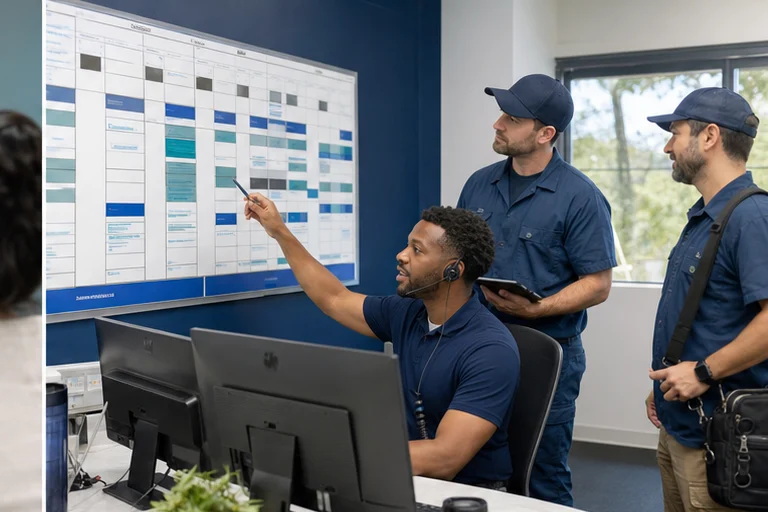
Scheduling software is only as useful as the information entering it. When the intake is incomplete, the dispatcher still has to call back, reinterpret the problem, change the duration, or move the job to a different technician.
Why this matters now
A connected workflow improves the input before it touches the board. It confirms the service, location, urgency, availability, contact information, access details, and customer expectations, then writes that context where operations already work.
Scheduling quality is visible on the dispatch board. A customer-facing path can appear successful while creating the wrong job type, duration, territory, or technician requirement for the field team.
Where the workflow usually fails
Calendar first, qualification later
Showing time before checking service fit produces preventable rework.
One duration for every job
The scheduling path must respect service-specific durations, buffers, and technician capability.
Notes trapped in another inbox
The final summary belongs with the appointment or work order, not only in a separate transcript.
A better operating path
Begin with the dispatch record and work backwards. Decide what the technician and dispatcher need, then collect only the customer details required to choose a valid job type, window, skill, and handoff.
- Define the dispatch-ready recordList every field operations requires before accepting the job.
- Create service rulesMap services to territory, duration, skill, fee, and availability.
- Connect the booking actionWrite the appointment and summary to the operating system.
- Close the communication loopSend customer confirmation and team notification.
Use a mixed-day test: a short maintenance visit, an uncertain diagnostic call, a job near a territory boundary, an unavailable specialist, and a customer changing the address. Watch how each choice affects the board.
What to measure
Measure the quality of scheduled work after it reaches dispatch. Filled windows matter only when appointments have usable notes, realistic durations, and the right service and skill requirements.
- Jobs rescheduled for intake reasons
- Dispatcher callbacks before confirmation
- Appointments created with complete required fields
Review moved jobs and manual edits with dispatch by reason. That feedback should change the intake rules before more services or locations are added.
The implementation decision
Measure schedule quality, not only booking volume. A lower number of clean, serviceable appointments is worth more than a larger number that dispatch must repair.
Implementation checklist
- Define the dispatch-ready record for each bookable service
- Map job type, duration, territory, and skill requirements
- Use availability that reflects real board constraints
- Create staff-review paths for uncertain or complex work
- Write customer promises and intake notes into one record
- Audit moved jobs, overrides, and technician feedback
Field checks before launch
For field-service scheduling, start with the operating facts that determine a usable outcome: service category, territory, job duration, skill requirements, travel constraints, crew capacity, promised window, customer notes, and dispatch ownership. Write down which system owns each fact, which answers are required, and what the customer may be promised.
Customer-facing automation should offer only approved options. Dispatch must retain control over schedule changes that affect routing, overtime, emergency capacity, or technician suitability. Document that boundary in the script, interface, and fallback path so staff can understand why a request was booked, routed, or held for review.
Run realistic acceptance tests before launch, including overlapping windows, same-day demand, travel conflicts, unavailable skills, reschedules, cancellations, weather surges, and bookings submitted while the service system is unavailable. Record the expected customer message, destination record, owner, and recovery action for each case. After launch, review corrections and exceptions with the people who operate the workflow; those examples show where rules, access, or training need to change.
- Confirm job types, territories, durations, skills, and availability rules
- Verify dispatch receives a usable appointment with complete notes
- Test reschedules, cancellations, conflicts, and failed system writes
- Review dispatcher edits by service, location, and booking source
Connect customer intake to a cleaner dispatch board.
Agentic Growth can map scheduling rules, configure the intake path, connect supported field-service systems, and test the resulting jobs with dispatch.
Frequently asked questions
What makes a booking dispatch-ready?
It has the correct customer and location, job type, service notes, duration, skill or equipment requirements, approved window, and any promise made during intake.
Does scheduling automation replace the dispatcher?
No. Dispatchers still manage capacity, field conditions, exceptions, and judgment-heavy changes. Automation should give them a cleaner starting record.
Can Agentic Growth connect our intake to field-service software?
Agentic Growth can assess and implement supported connections where the client's software, interfaces, permissions, and operating rules allow.